
Automate B2B contact form outreach with AI
CanForm helps sales teams discover company contact forms, generate personalized outreach messages, fill forms, submit them, and track results — from a single CSV list of companies.
- Chrome extension
- AI-personalized messages
- CSV-based workflow
- Dry-run mode
- Japan-ready
The problem
Manual contact form outreach doesn't scale
Finding the contact form takes time
Every company site is structured differently, so just locating the form is slow work.
Writing a personalized message for each company is heavy
Generic templates get low response rates, but writing from scratch every time doesn't scale.
Manual entry leads to mistakes and missed submissions
Field names and form structures vary widely, making manual entry error-prone.
Tracking outreach results gets messy
Knowing who you contacted, when, and whether it succeeded is hard to keep consistent by hand.
What it does
What CanForm automates
Autonomous form discovery
Follows real on-page links (Contact / Inquiry, etc.) and common paths to locate a company's contact form from just its homepage URL.
Per-company AI message generation
Reads each company's site content and generates a tailored outreach message before filling the form.
Automatic form filling
Fills name, company, email, phone, address, subject, and message fields in one click, including dynamic React-based forms.
Dry-run mode
Fills the form without submitting, so you can verify content before sending anything for real.
Result CSV export
Exports company name, discovered form URL, status, message, and timestamp for every run.
How it works
How it works
- 1
Install the extension
Add CanForm from the Chrome Web Store, then set up your sales info and an AI API key.
View on the Chrome Web Store → - 2
Import a CSV list
Upload a 3-column CSV: company name, URL, and a short company description.
- 3
Discover the contact form URL
CanForm follows real on-page links to locate each company's contact form.
- 4
Generate a per-company message
AI reads the company's site content and writes a tailored outreach message.
- 5
Fill and submit
The form is filled automatically and submitted once the submit button is detected.
- 6
Review the results CSV
Check discovered URLs, submission status, and timestamps in an exportable CSV.
Screens
Screens
Real screenshots of the extension and its settings screens, so you know what to expect after installing.
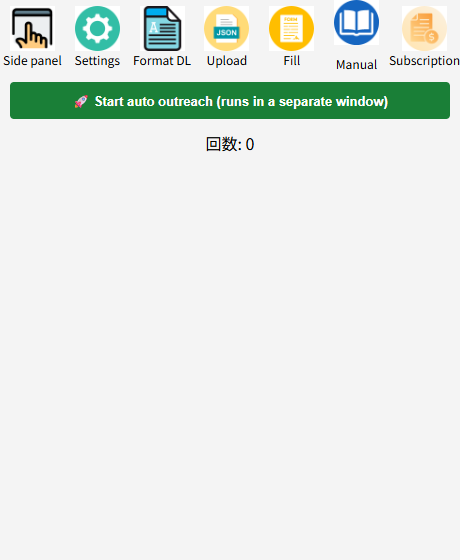
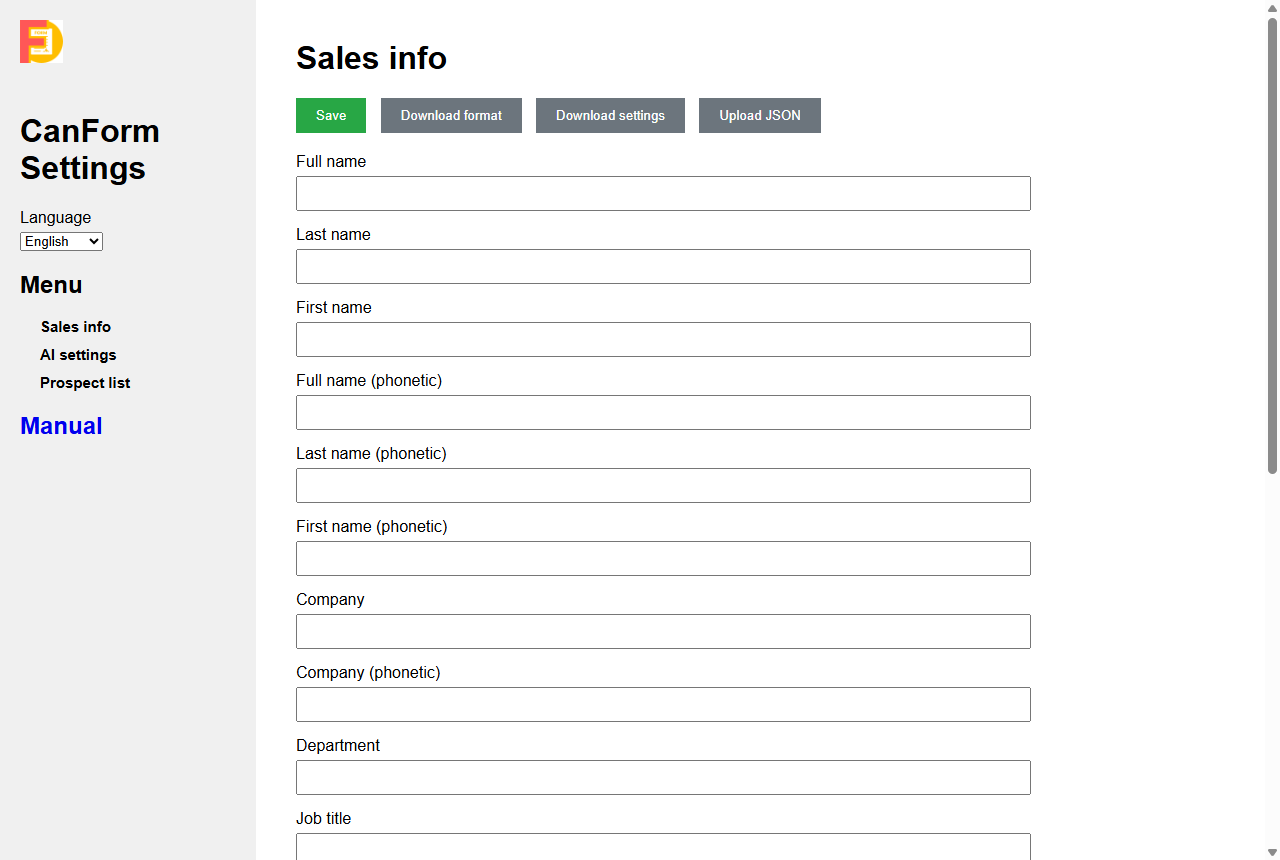
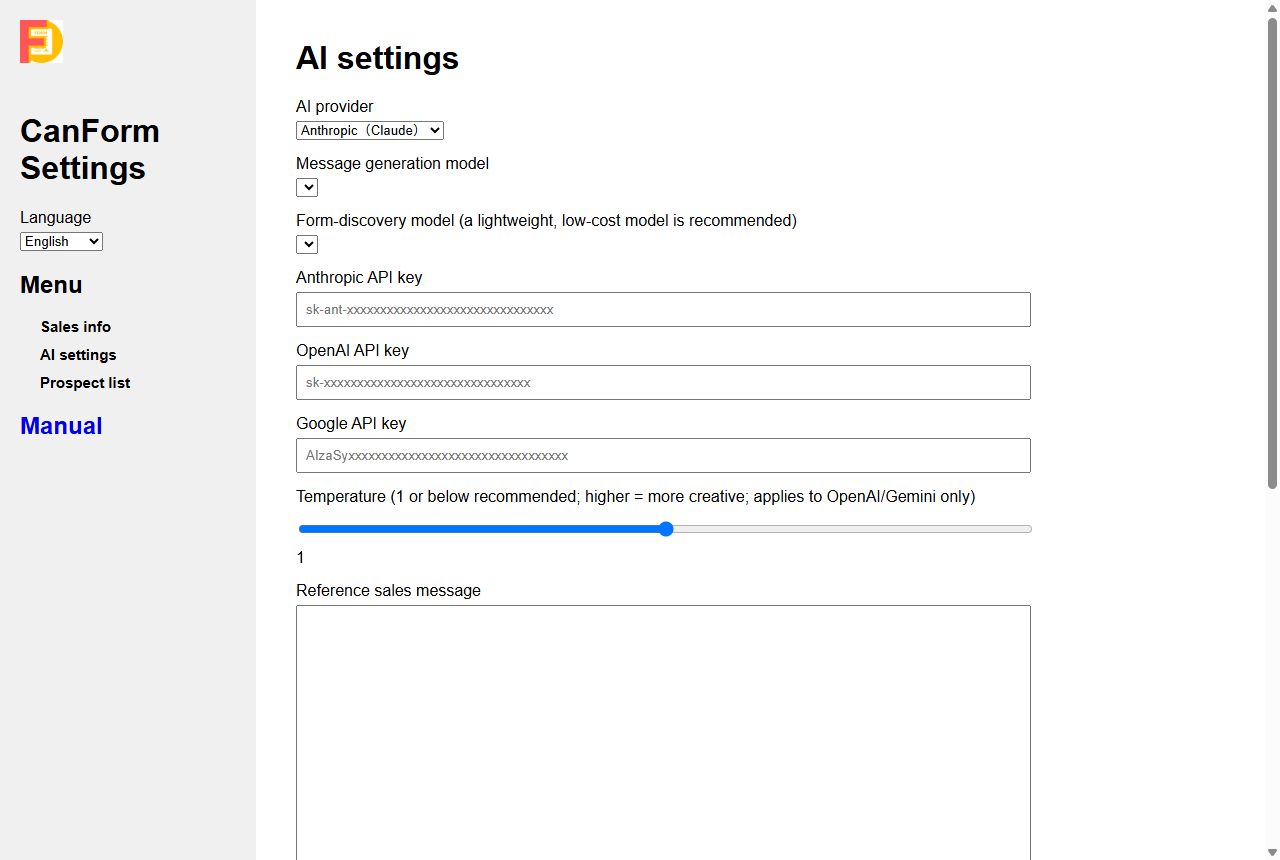
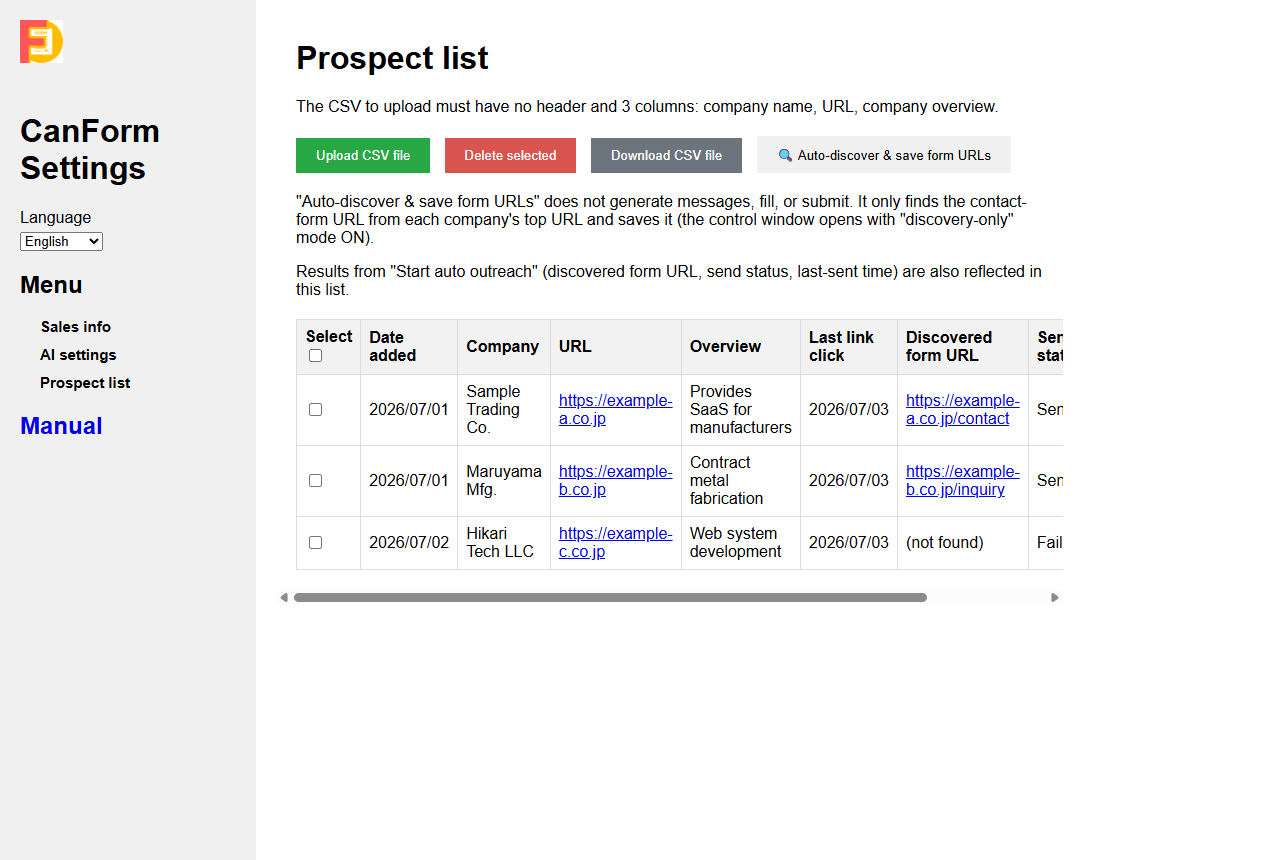
Autonomous Outreach Control Window
Companies in the current run (sample data)
128
Companies
86
Sent
4
Processing
| Company | Status | Sent at |
|---|---|---|
| Alpha Trading Co. | Sent | 10:42 |
| Beta Manufacturing Inc. | Filled | 10:41 |
| Gamma Design LLC | Processing | — |
| Delta Logistics Ltd. | Form found | — |
| Epsilon Foods Inc. | Failed | 10:37 |
What the real control window looks like — while an autonomous run is active, live per-company status (form found, filled, submitted successfully, or failed) updates here in real time (shown with sample data).
Feature details
Feature details
AI-assisted field completion
Uses AI to infer values for fields that rule-based matching cannot fill, such as ambiguous dropdown menus.
Autonomous form discovery
Follows real on-page links (Contact / Inquiry, etc.) and common paths to locate a company's contact form from just its homepage URL.
Result CSV export
Exports company name, discovered form URL, status, message, and timestamp for every run.
Responsible use
Built for responsible outreach
CanForm is a B2B outreach productivity tool, not a mass-spam tool. It includes several safeguards to help you run compliance-aware campaigns.
CAPTCHA detection, no bypass
When reCAPTCHA or hCaptcha is detected, CanForm skips submission instead of attempting to bypass it.
Rate control
A randomized wait interval between companies helps avoid rapid, back-to-back submissions.
Dry-run mode before sending
Fill without submitting to verify content first — we recommend starting every list with a dry run.
Opt-out site detection
Rule-based and AI-based detection can skip sites that state they don't accept sales inquiries (each toggle is optional).
You are responsible for confirming your outreach targets, message content, and compliance with applicable laws and each site's terms of use. See our responsible use guide for details.
Who it's for
Who uses CanForm
B2B SaaS growth teams
Exploring contact-form outreach as a channel to reach companies in Japan or across Asia.
Contact form outreach use case →Teams entering the Japanese market
Reaching Japanese companies through their official inquiry forms, with AI-personalized, etiquette-aware messages.
Japan market outreach guide →Pricing
Pricing
Free
$0 / forever
- Up to 30 runs per day (form fill + form discovery)
- Counter resets at local midnight
- All AI providers supported (bring your own API key)
- Dry-run mode included
Unlimited
¥5,000 / month
(billed in Japanese yen)
- Unlimited daily runs
- Everything in Free
- Priority use for agencies and high-volume outreach
- AI API usage is billed separately by your provider
- * CanForm is not "unlimited free forever." The paid plan removes CanForm's own daily run limit only.
- * AI API costs (Anthropic / OpenAI / Google) are paid directly to the provider using your own API key and are not included in CanForm's price.
- * Unlocking is done locally via a passcode purchased through Stripe — no account or backend login required.
Frequently asked questions
What is CanForm?
CanForm is a Chrome extension that helps B2B sales teams discover company contact forms, generate AI-personalized outreach messages, fill and submit forms, and track results — either one page at a time or across a CSV list of companies.
Does CanForm find contact forms automatically?
Yes. Starting from a company's homepage URL, CanForm follows real on-page links (such as "Contact" or "Inquiry") and common URL paths to locate the contact form, using AI as a fallback when link text alone is inconclusive.
Can I run a dry run without submitting forms?
Yes. Dry-run mode fills the form fields but does not click submit, so you can verify the generated content before sending anything for real. We recommend starting with a dry run.
Does CanForm bypass CAPTCHA?
No. CanForm detects reCAPTCHA and hCaptcha and skips submission for that company rather than attempting to bypass it.
What CSV format does CanForm support?
A 3-column CSV with no header row: company name, URL, and a short company description, saved as UTF-8. See the CSV list format documentation for a sample file.
Which AI providers are supported?
Anthropic (Claude), OpenAI (GPT), and Google (Gemini). You can use a different model for message generation than for form-discovery judgment, and you supply your own API key for each provider you use.
Is CanForm a Chrome extension?
Yes, CanForm is a Manifest V3 Chrome extension. It runs in your browser; there is no separate desktop app to install.
How much does CanForm cost?
CanForm is free for up to 30 runs per day. A paid plan (¥5,000/month) removes that daily limit. AI API usage is billed separately by your provider using your own API key.
Is contact form outreach legal?
This varies by country, industry, and the content of your message. CanForm does not provide legal advice — you are responsible for confirming applicable laws (such as anti-spam and electronic communications regulations) and each target site's terms of use before sending.
Can I use CanForm for outreach to Japanese companies?
Yes, many users use CanForm to reach Japanese companies via their official contact forms. See our Japan market outreach guide for practical, etiquette-aware workflow notes.
Start free — no credit card required
Get up to 30 runs per day at no cost. We recommend starting with a dry run to see it in action.